Color Printer Test Page

Print the color test page to check all four inks at once, or pick a single color to spend only that ink. Each sheet steps from solid to pale. A row that is faint, streaky or missing points straight to the ink that needs attention, and the checker below names it from the symptoms.

By Online Printer Test PageLast updated

Choose a color sheet
Paper size

Set from your region. Change it if your tray holds the other size.

Download PDF
  • Scale: 100% or Actual size, not Fit to page
  • Headers and footers: off
  • Paper in the tray matches US Letter

What to look for: color test page

  • Each C, M, Y and K row should step evenly from solid to pale. A missing or streaky row points to that ink.
  • The gray ramp should look neutral. A pink, green or blue cast means one color is printing weak or strong.
  • The spectrum should flow without hard bands or gaps.
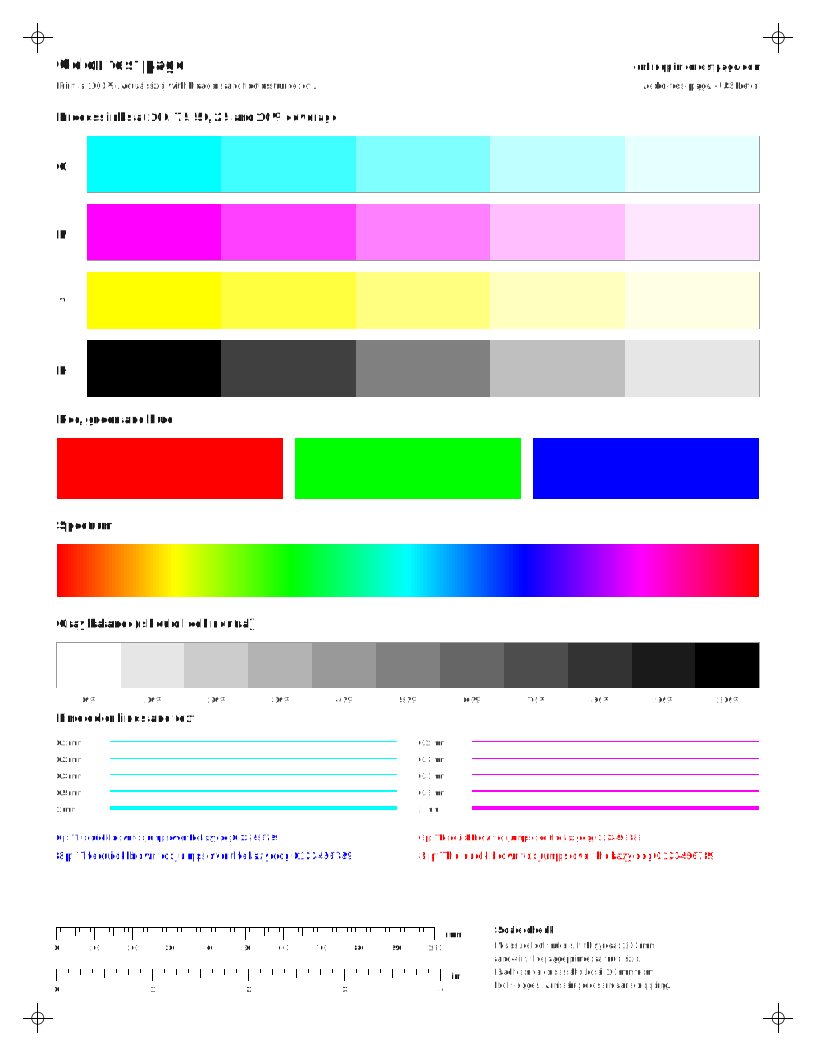
Color printer test page with cyan, magenta, yellow and black tint rows, red, green and blue swatches, a color spectrum, a gray ramp and small colored text.
All four process inks at five coverage levels, plus RGB, a spectrum, a gray balance ramp and fine color text. Moderate ink use.

Which color is missing?

What looks wrong on your color printout?

Print the color test page and compare the red, green and blue blocks with what they should be.

Steps for your printer brand

Exact menu steps from each maker’s manuals, by model, with sources.

How do I read a color test page?

Go row by row. Each of the C, M, Y and K rows should fall off evenly from solid to 10%. Then check the gray balance ramp: on many color printers the grays are mixed from all three colors, so a tint there means one ink is weaker than the others.

  • Thin white lines across one color: partly clogged nozzles in that color.
  • One row much paler than the others: low ink, or that color is not reaching the head.
  • Every row pale: draft or economy mode, or the wrong paper type setting.
  • Colors in the wrong place or doubled edges: the head needs aligning.

CMYK or RGB: which test page should I print?

Print the CMYK sheets to check the hardware. They map closely to the inks in the printer, so a fault shows up in one place. Print the RGB chart when the hardware looks fine but photos or slides come out with the wrong colors. It shows how your printer converts screen colors, which depends on the driver and paper settings. For real-world color, print the photo and market test prints on the paper you actually use.

What a color chart can’t fix

If the test page looks right but one program prints the wrong colors, the program is probably managing color itself. Check its print settings for options like “Printer manages colors” or a color profile. The documents vs test page guide covers app settings in more detail.

Questions people ask

What is a CMYK test page?

A page that prints cyan, magenta, yellow and black separately, usually at several coverage levels. Because each ink has its own row or column, you can see which one is weak, streaky or missing.

Why does my color test page look different from my screen?

Screens make color from light (RGB) and printers make it from ink (CMYK), so bright screen colors like electric blue and neon green cannot be printed exactly. Judge the printout on its own: even rows, no gaps and a neutral gray ramp.

How do I print only one color to save ink?

Choose a single-color sheet such as Cyan or Magenta in the picker above. Those pages use only that ink, so you can check one channel without spending the others.

Why is yellow so hard to see on the test page?

Yellow has very little contrast against white paper. Hold the page up to a window or look at it at an angle. A missing yellow is easier to spot in the red and green blocks, which turn pink and blue without it.