Black and White Printer Test Page
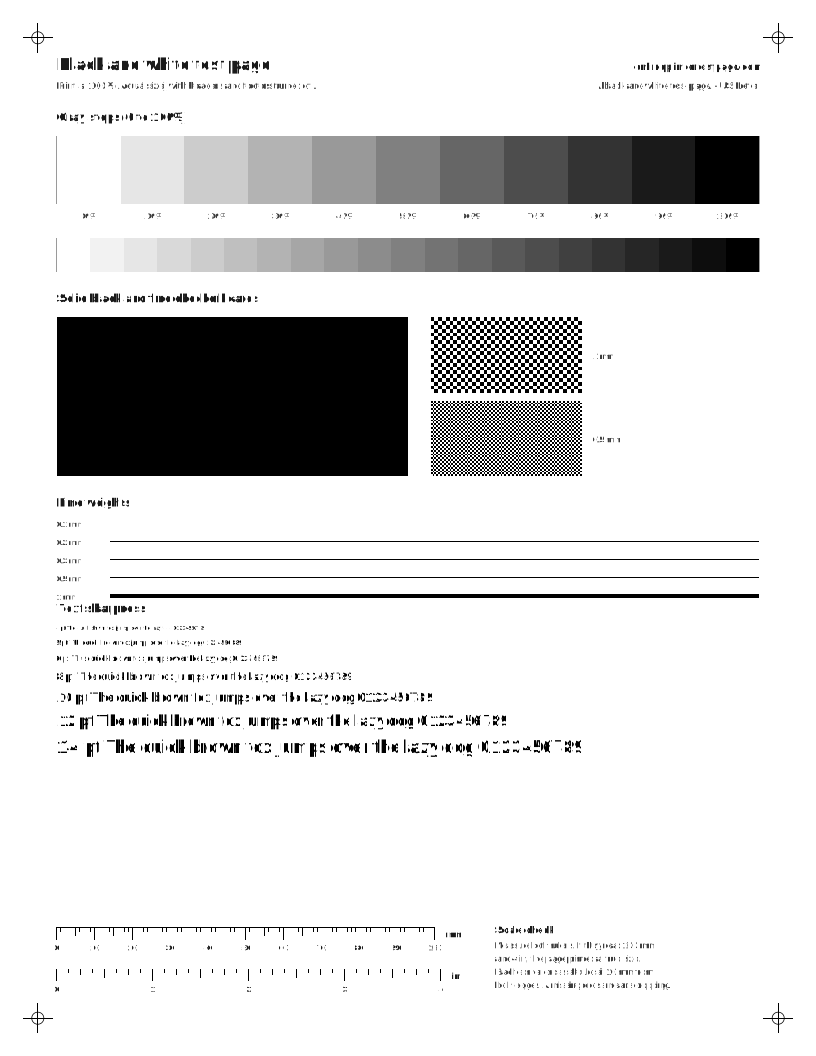
Print the standard sheet to check black ink or toner in one pass: a solid black block for streaks, gray steps for density and text from 4 to 14 pt for sharpness. If you only need to check that text is crisp, the light-ink sheet does it with almost no ink.
By Online Printer Test PageLast updated
Printed? How did it look?
- Scale: 100% or Actual size, not Fit to page
- Headers and footers: off
- Paper in the tray matches US Letter
What to look for: black and white test page
- The solid black block should be even, with no white lines or streaks.
- You should be able to tell every gray step apart. Steps that merge at the dark end mean heavy ink or toner.
- Small text should be sharp, not fuzzy or doubled.
What to look for: light-ink black and white page
- Lines should be continuous with no breaks.
- Text should be crisp at 6 pt and above.
- Each light gray step should be visible.
What to look for: grayscale ramp
- The smooth gradient should have no visible bands or jumps.
- Large gray patches should look neutral. Many color printers mix gray from C, M and Y, so a tint here points to an unbalanced ink.
What to look for: black test page
- The solid block should be even black with no white lines.
- Every step of the ramp should be visible.
- Fine lines should be unbroken.
What to look for: fine text sheet
- 4 and 5 pt text should still be readable with a magnifier.
- White text on black should not fill in.
- Letters should not look doubled. Doubling points to head alignment.
Steps for your printer brand
Exact menu steps from each maker’s manuals, by model, with sources.
What should a good black and white test page look like?
- The solid black block is deep and even, with no white lines across it and no light stripes down it.
- Every gray step from 0 to 100% is visible. Steps that merge at the dark end mean too much ink or toner; steps that vanish at the light end mean too little.
- Text is sharp down to 5 or 6 pt. Fuzzy or doubled text points to alignment on an inkjet or a worn drum on a laser. The fine text test sheet goes down to 4 pt in three typefaces.
- The 0.1 mm line prints unbroken.
Black ink vs grayscale: why it matters
Many inkjet drivers have two ways to print without color. “Black ink only” uses just the black cartridge. “Grayscale” may mix cyan, magenta and yellow with black to make smoother grays. If black prints fine on this page but your documents look brownish, the grayscale setting is the likely cause.
Printer not printing black?
If the black block is empty while color pages print, black is the problem, not the printer as a whole. Check the level first, then run a nozzle check. The faded printing troubleshooter walks through the rest, including third-party cartridges.
Questions people ask
Why does my printer print gray instead of black?
Usually the black ink or toner is low, the black nozzles are partly clogged, or the print is set to draft or toner save. On some inkjets, choosing “grayscale” makes the printer mix black from color inks, which looks brownish gray.
Does a black and white test page use color ink?
Our black sheets use only black and grays. Whether the printer actually prints grays with black ink alone depends on the driver. If you want to be sure, look for a “black ink only” or “black cartridge only” option in the print dialog.
Is this test page good for laser printers too?
Yes. The solid black block shows streaks and light bands, and the gray steps show toner density. For marks that repeat down the page, use the laser test set on the laser streaks page.